forgingblock-agentkit
ForgingBlock AI payment agent example using AgentKit and Privy wallets to create and pay crypto invoices, search and buy from WooCommerce
In the AI payments ecosystem
forgingblock-agentkit is an early-stage TypeScript project in the AI payments / x402 ecosystem, focused on agent, agentkit, ai, cryptocurrency. It currently has 0 GitHub stars and 0 forks, and sits alongside related tools like x402-deploy, helix, aser.
ForgingBlock AI Payment Agent
This repository demonstrates how to build an AI-powered crypto payment agent using:
- ForgingBlock payment APIs
- Coinbase AgentKit
- Privy embedded wallets
- OpenAI models
The agent can:
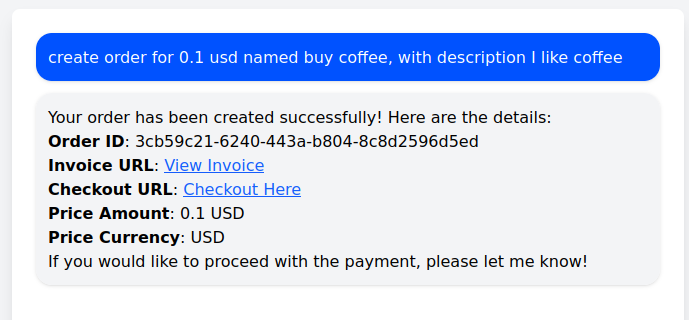
- create orders
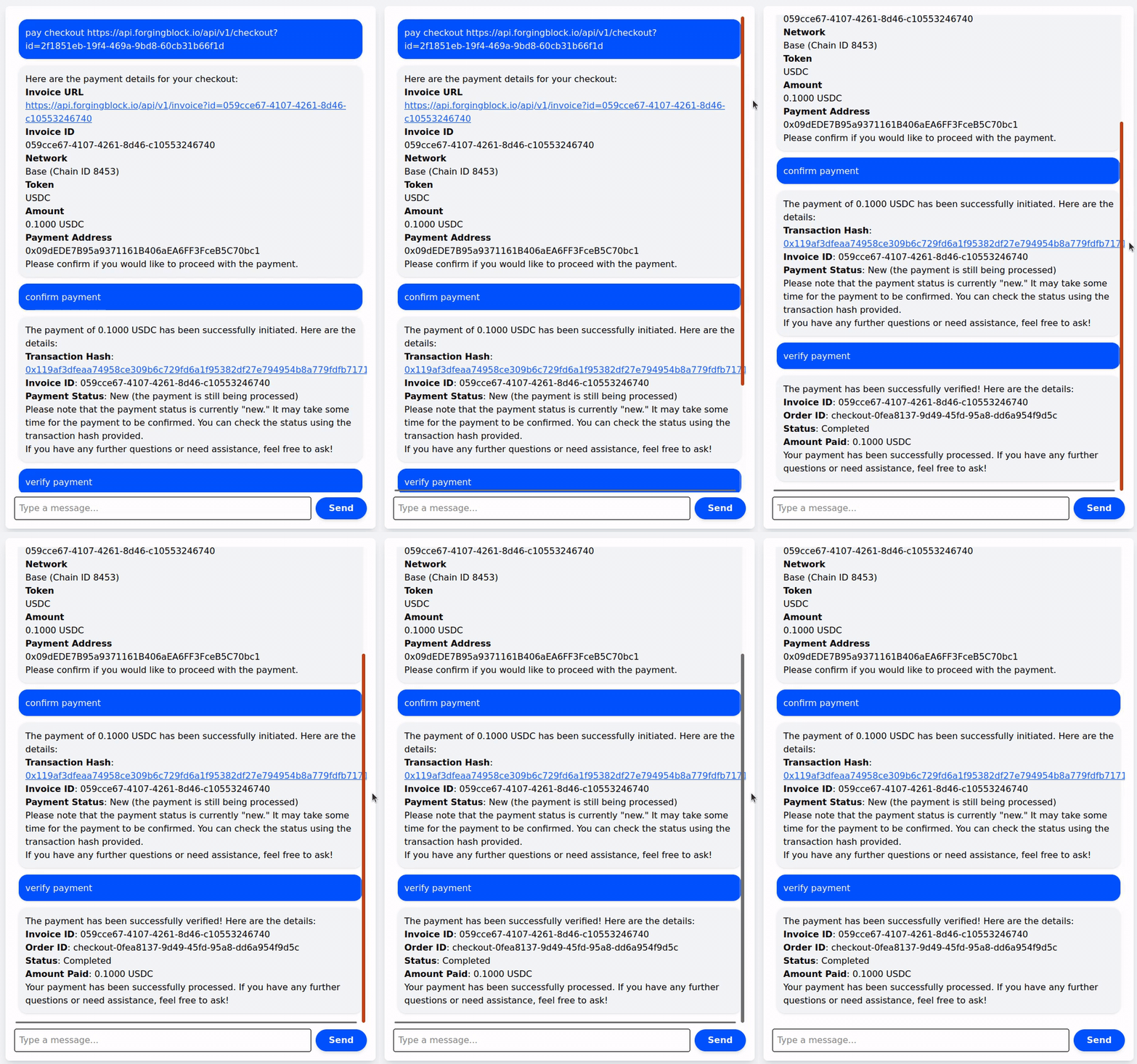
- resolve checkout links into blockchain transactions
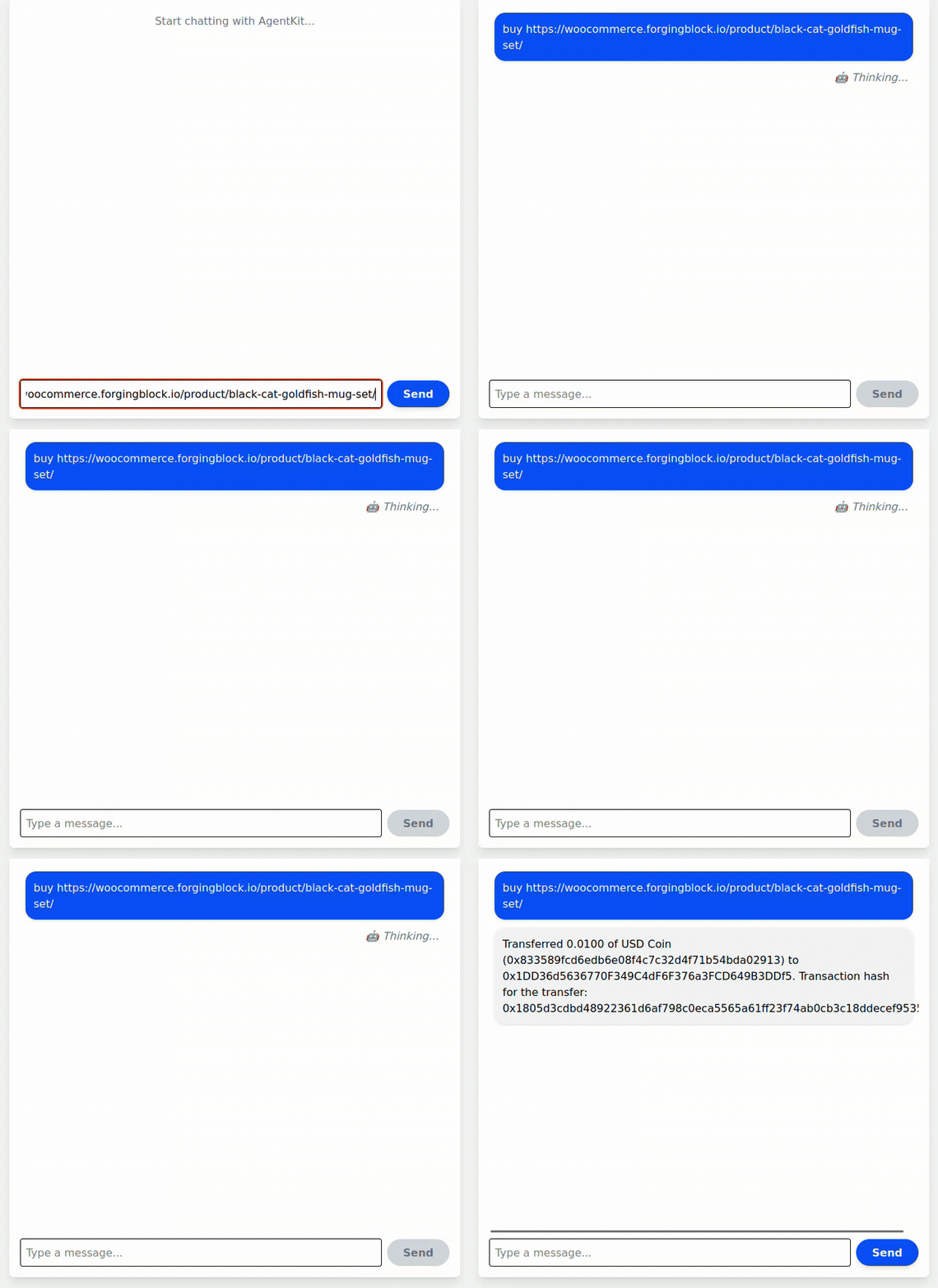
- execute payments
- verify payment status
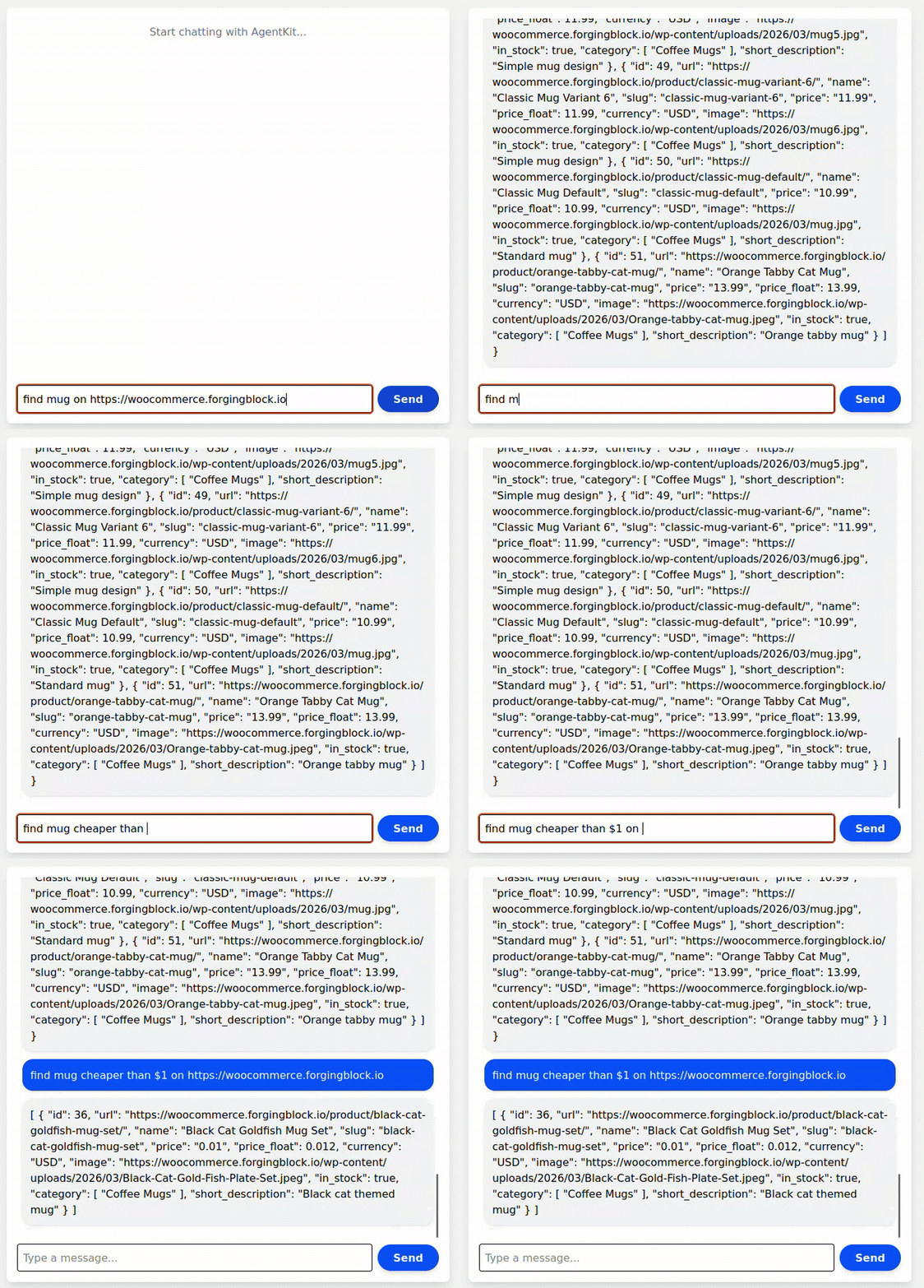
- search and interact with WooCommerce store catalogs
This project is a reference implementation showing how AI agents can interact with:
- ForgingBlock crypto payment infrastructure
- WooCommerce agent-compatible APIs
- requires plugin install on WooCommerce instance
Quick Demo
Create Order
AI Payment Flow
WooCommerce AI Agent Search Store Catalog
WooCommerce AI Agent Buy
Installation
Clone the repository:
git clone https://github.com/forgingblock/forgingblock-agentkit.git
cd forgingblock-agentkit
Install dependencies:
npm install
Environment Setup
Create a .env file in the project root.
Example:
OPENAI_API_KEY=

PRIVY_APP_ID=
PRIVY_APP_SECRET=

FB_API_KEY=

NETWORK_ID=base-mainnet
OPENAI_API_KEY
API key used for the AI model.
PRIVY_APP_ID
PRIVY_APP_SECRET
Credentials for Privy embedded wallets.
You could create in Privy dashboard:
FB_API_KEY (optional)
Merchant API key used to create orders.
Create an API key in the dashboard:
Dashboard → Account Settings → Integrations → API Token
If this variable is not defined, the agent can still perform payments but cannot create orders.
NETWORK_ID
Network used by the wallet provider.
Example:
NETWORK_ID=base-mainnet
Run the Development Server
Start the development server:
npm run dev
Open the application:
http://localhost:3000
Architecture Overview
User / AI Agent
        │
        ▼
Next.js Agent API (/api/agent)
        │
        ├───────────────┬────────────────────────┬──────────────────────┐
        ▼               ▼                        ▼                      ▼
Woo Tools        Payment Tools            Wallet Execution       LLM Reasoning
        │               │                        │                      │
        ▼               ▼                        ▼                      ▼
Woo REST API     ForgingBlock API         ERC20 Transfer         Local Filtering
        │               │                        │                      │
        ▼               ▼                        ▼                      ▼
Woo Store        Invoice + Routes         Blockchain Tx          Ranked Results
Hybrid Execution Model
User Input
   │
   ├── WooCommerce URL ───────────────┐
   │                                 ▼
   │                         woo_prepare_checkout
   │                                 │
   │                                 ▼
   │                         create_payment
   │                                 │
   │                                 ▼
   │                         Store Payment State
   │                                 │
   │                                 ▼
   │                         Execute / Confirm
   │
   ├── Simple Search ────────────────┐
   │                                 ▼
   │                         woo_search_products
   │
   └── Advanced Query ───────────────┐
                                     ▼
                              Fetch catalog
                                     │
                                     ▼
                              Local filtering (JS / LLM)
WooCommerce Agent API
All endpoints are exposed via WordPress REST:
/wp-json/forgingblock/v1/agent/*
Endpoints
List / Search Products
GET /wp-json/forgingblock/v1/agent/products
GET /wp-json/forgingblock/v1/agent/products?q=search&page=1
Get Product
GET /wp-json/forgingblock/v1/agent/products/{id}
Create Order
POST /wp-json/forgingblock/v1/agent/create-order
{
  "product_id": 123,
  "quantity": 1
}
Create Checkout
POST /wp-json/forgingblock/v1/agent/checkout
{
  "order_id": 123,
  "order_key": "wc_order_xxx"
}
OpenAI / Claude Tool Schema
Example tool definitions for agent integration:
{
  "name": "woo_search_products",
  "description": "Search WooCommerce products",
  "parameters": {
    "type": "object",
    "properties": {
      "base": { "type": "string" },
      "query": { "type": "string" },
      "page": { "type": "number" }
    },
    "required": ["base"]
  }
}
{
  "name": "woo_prepare_checkout",
  "description": "Prepare WooCommerce checkout",
  "parameters": {
    "type": "object",
    "properties": {
      "base": { "type": "string" },
      "url": { "type": "string" },
      "product_id": { "type": "number" },
      "quantity": { "type": "number" }
    }
  }
}
{
  "name": "create_payment",
  "description": "Generate payment details",
  "parameters": {
    "type": "object",
    "properties": {
      "invoice_url": { "type": "string" }
    },
    "required": ["invoice_url"]
  }
}
Agent Prompt Specification
Intent Routing Rules
Search
If user intent is:
find / search / browse / list
→ MUST call:
woo_search_products
Checkout
Only call:
woo_prepare_checkout
when:
- product URL provided
- product_id provided
- explicit "buy" intent
Advanced Queries
If user asks:
cheaper than
under price
best / cheapest
→ DO NOT rely on Woo API
→ Fetch catalog and filter locally
Payment
Always:
create_payment → confirm → transfer → verify
Payment Flow
create_payment → confirm → ERC20 transfer → verify_payment
Wallet Execution
ERC20ActionProvider_transfer
Available Agent Actions
Payments
- create_order
- create_payment
- verify_payment
WooCommerce
- woo_search_products
- woo_get_product
- woo_prepare_checkout
- detect_woocommerce_capabilities
Example Flow
find mugs
→ list products
→ select product
→ checkout
→ confirm
→ pay
→ verify
Chat Session Storage
In-memory. Use Redis in production.
Production Improvements
Search
- fuzzy matching
- ranking
- embeddings
Payments
- webhook handling
- retries
- persistence
Agent UX
- multi-turn selection
- "buy first result"
- structured UI output
Disclaimer
This repository is an example implementation demonstrating how AI agents can integrate with the ForgingBlock payment infrastructure.
It is intended for experimentation and developer reference.
Production deployments should include additional security, validation, and persistence layers.
Related Projects
More Coinbase projects
All Coinbase projects →A payments protocol for the internet. Built on HTTP.
Daydreams is a set of tools for building agents for commerce
The best way to monetize AI applications & MCP, using x402, CDP Smart Wallets & Paymaster
URL shortener
AWS payment demo of x402 using Bedrock AgentCore, Strands SDK, and CloudFront.
Cloudera CDP SDK for Java