
x402-demo
a simple x402 demo using CDP facilitator, embedded wallet, faucet, and token balances API. Includes an x402-enabled API, and simple web app from which the user can call the API.
In the AI payments ecosystem
x402-demo is an early-stage TypeScript project in the AI payments / x402 ecosystem, focused on cdp, coinbase, x402. It currently has 12 GitHub stars and 8 forks, and sits alongside related tools like tweazy, moltspay, x402, daydreams, proxy402, sample-agentcore-cloudfront-x402-payments.
x402 demo
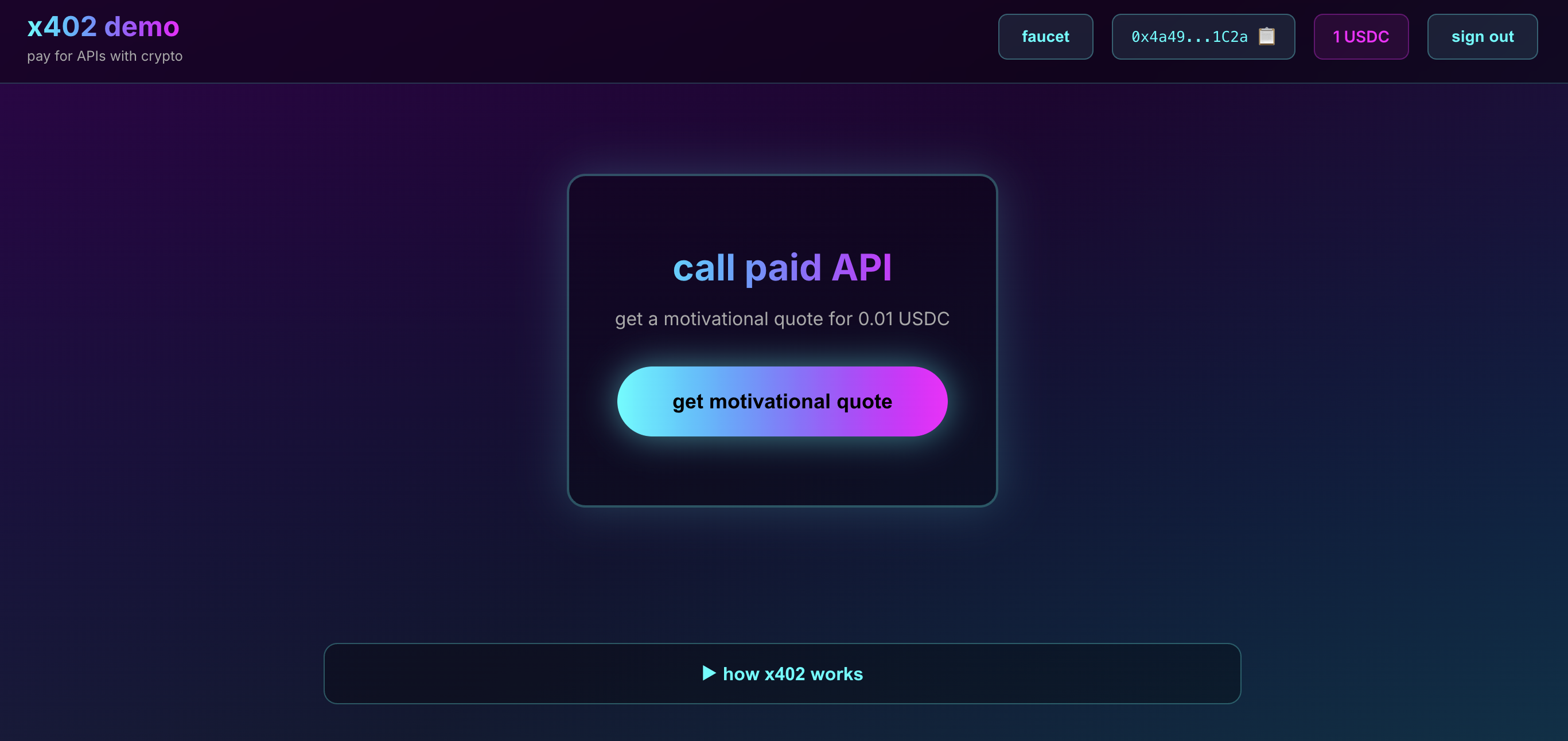
this is a simple demo of the x402 payment protocol, showcasing how easy it is to add crypto payments to any API and how seamlessly clients can pay for access
what is x402?
x402 is an HTTP-based payment protocol that enables instant, automatic stablecoin payments for APIs and digital content
it revives the HTTP 402 "Payment Required" status code to enable programmatic payments without accounts, sessions, or complex auth
x402 is perfect for:
- AI agents paying for services
- micropayments and pay-per-use APIs
- monetizing web services without subscription-based paywalls
- instant settlement without intermediaries
about this demo
this project showcases four Coinbase Developer Platform (CDP) products working together:
CDP products used
client-side:
- CDP Embedded Wallet - seamless user auth with a variety of web2-friendly auth methods; no extension or seed phrases
server-side:
- CDP x402 Facilitator - payment verification and blockchain settlement
- CDP Faucet API - one-click test USDC distribution
- CDP Token Balances API - realtime USDC balance checking
what you'll see
- simple API endpoint requiring 0.01 USDC payment
- multiple web2-friendly auth options for wallet creation
- one-click faucet for test USDC
- automatic payment handling (no manual transaction signing)
- real-time balance updates via CDP API
- transaction confirmations on Basescan
quickstart
pre-reqs
- Node.js v18+ installed
- CDP Project created at https://portal.cdp.coinbase.com/
- CDP API Key for using CDP Facilitator, Faucet API, and Token Balances API
- wallet address to receive payments (any Ethereum address)
1. install server dependencies
cd server
npm install
2. configure server
cp .env.example .env
edit your server/.env:
RECEIVER_WALLET=0xYourWalletAddressHere
CDP_API_KEY_ID=your-api-key-id
CDP_API_KEY_SECRET=your-api-key-secret
PORT=3001
get CDP API credentials:
- go to https://portal.cdp.coinbase.com/
- navigate to API Keys
- create new API key
- copy the ID and Secret
3. start server
npm run dev:server
you should see:
🚀 x402 Demo Server running on http://localhost:3001
📝 Protected endpoint: http://localhost:3001/motivate
💰 Receiving payments at: 0xYourAddress
leave this terminal running
4. install client dependencies
open a new terminal:
cd client
npm install
5. configure client
cp .env.local.example .env.local
edit your client/.env.local:
NEXT_PUBLIC_CDP_PROJECT_ID=your-project-id-here
NEXT_PUBLIC_API_URL=http://localhost:3001
get your CDP Project ID:
- go to https://portal.cdp.coinbase.com/
- select your project from the dropdown
- go to Settings
- copy the Project ID
6. start client (in a new terminal)
npm run dev:client
you should see:
✓ Ready in 2.5s
○ Local:        http://localhost:3000
7. try it
- open http://localhost:3000
- click "Connect Wallet" and choose your preferred sign-in method
- complete authentication; CDP Embedded Wallet is created automatically
- click "Faucet" to get free testnet USDC
- click "Get Motivational Quote (0.01 USDC)"
- watch the payment happen automatically
- see your quote and transaction confirmation on Basescan
project structure
x402-demo/
├── server/              # express API with x402
│   ├── index.js         # main server with x402 middleware
│   ├── faucet.js        # CDP Faucet API integration
│   ├── balances.js      # CDP Token Balances API integration
│   ├── package.json
│   └── .env.example
├── client/              # Next.js web app
│   ├── app/
│   │   ├── page.tsx           # main UI with auth & payments
│   │   ├── providers.tsx      # CDP Embedded Wallet setup
│   │   ├── layout.tsx
│   │   └── globals.css
│   ├── package.json
│   └── .env.local.example
└── README.md            # this file
x402 server-side integration
this is literally all the code needed to add payments to your API:
import { paymentMiddleware } from "x402-express";
import { facilitator } from "@coinbase/x402";

app.use(paymentMiddleware(
  "0xYourWalletAddress",  // your wallet where you'll receive payments for your API
  {
    "GET /motivate": {
      price: "$0.01",              // how much you want to charge
      network: "base-sepolia",     // blockchain network
      // asset: "0x036CbD...",     // optional: specify token (defaults to USDC)
    }
  },
  facilitator  // CDP's hosted facilitator (requires CDP API key)
));

app.get("/motivate", (req, res) => {
  res.json({ quote: "Work hard, have fun, make history." });
});
the CDP x402 Facilitator handles:
- payment verification (validates EIP-3009 signatures and amounts)
- blockchain settlement (submits to the indicated chain; pays gas fees on supported chains)
- error handling and retry logic
- adding response headers with transaction details
note on tokens: the price: "$0.01" shorthand defaults to USDC
EVM limitation: On EVM chains (like Base), x402 uses EIP-3009 transferWithAuthorization, which requires tokens to explicitly implement this standard. Most ERC20 tokens have not implemented EIP-3009, so in practice this limits x402 in its current form to using mostly USDC.
Solana flexibility: On Solana, x402 works with any SPL token using standard token transfers with facilitator fee sponsorship - no special token implementation required
x402 client-side integration
making a paid request from your app's front-end is incredibly simple with CDP's new useX402 hook:
import { useX402 } from "@coinbase/cdp-hooks";

// one line to get payment-enabled fetch
const { fetchWithPayment } = useX402();

// make paid request; payment happens automatically
const response = await fetchWithPayment("http://localhost:3001/motivate");
const data = await response.json();
the useX402 hook from CDP Embedded Wallet automatically:
- detects 402 responses from the server
- extracts payment information
- creates payment transactions
- signs with your CDP Embedded Wallet
- retries with proof of payment
- returns the paid content
how x402 works
┌─────────┐                    ┌─────────┐                    ┌────────────┐
│ Client  │                    │  Server │                    │ Facilitator│
└────┬────┘                    └────┬────┘                    └─────┬──────┘
     │                              │                                │
     │  1. GET /motivate            │                                │
     ├─────────────────────────────>│                                │
     │                              │                                │
     │  2. 402 Payment Required     │                                │
     │     + Payment Requirements   │                                │
     │<─────────────────────────────┤                                │
     │                              │                                │
     │  3. Create & Sign Payment    │                                │
     │     Transaction              │                                │
     │                              │                                │
     │  4. GET /motivate            │                                │
     │     + X-PAYMENT header       │                                │
     ├─────────────────────────────>│                                │
     │                              │  5. Verify Payment             │
     │                              ├───────────────────────────────>│
     │                              │                                │
     │                              │  6. Verification Result        │
     │                              │<───────────────────────────────┤
     │                              │                                │
     │                              │  7. Settle Payment             │
     │                              ├───────────────────────────────>│
     │                              │                                │
     │                              │  8. Settlement Result          │
     │                              │     + Transaction Hash         │
     │                              │<───────────────────────────────┤
     │                              │                                │
     │  9. 200 OK                   │                                │
     │     + Protected Content      │                                │
     │     + X-PAYMENT-RESPONSE     │                                │
     │<─────────────────────────────┤                                │
     │                              │                                │
suggested demo presentation flow
show server code (
server/index.js)- show how simple the integration is
- point out the 3 lines of x402 config
- explain the endpoint just returns data normally
start server
- run
npm run dev:server - show it's just a normal Express server
- run
show client UI (http://localhost:3000)
- connect or create wallet
- request faucet funds
- show how the displayed balance updates
make paid request
- click "Get Motivational Quote"
- show the loading state
- point out payment happens automatically
- show the quote appears
- show transaction on BaseScan
explain what's happening
- first request got a 402 payment required from the API server
- client created EIP-3009 payment, signed with CDP Embedded Wallet
- client retried request with X-PAYMENT header
- server called CDP x402 Facilitator to verify payment
- CDP Facilitator verified signature and settled payment onchain
- server returned paid content with transaction details
why x402 matters
for devs
- easily monetize APIs, adding payments with just a few lines of code
- no complex blockchain integration; facilitator handles all that
- no managing private keys or gas
- works with existing HTTP infra
for users
- no accounts or subscriptions
- pay only for what you use
- instant access
- transparent pricing
for agents
- programmatic payment without human intervention
- discover and pay for services autonomously
- no API keys or authentication needed
CDP products in this demo
this demo uses four CDP products:
| CDP product | purpose | used in | auth details |
|---|---|---|---|
| Embedded Wallet | user auth & wallet creation | client | CDP Project ID only |
| x402 Facilitator | payment verification & settlement | server | CDP API Key |
| Faucet API | distribute testnet USDC | server | CDP API Key |
| Token Balances API | check USDC balances | server | CDP API Key |
CDP products work together seamlessly - the server uses one CDP API key to access the Facilitator, Faucet, and Token Balances APIs, while the client uses a CDP Project ID for Embedded Wallet creation & auth
learn more
license
MIT
Similar projects


The best way to monetize AI applications & MCP, using x402, CDP Smart Wallets & Paymaster


Blockchain payment infrastructure for AI Agents


💸 Enable seamless, low-cost digital dollar payments with x402—zero fees, instant settlement, and no high minimums for all users.


Daydreams is a set of tools for building agents for commerce


URL shortener


AWS payment demo of x402 using Bedrock AgentCore, Strands SDK, and CloudFront.

More Coinbase projects
All Coinbase projects →
A payments protocol for the internet. Built on HTTP.


Self-healing infrastructure for AI agent payments. 90.3% auto-recovery.


Cloudera CDP SDK for Java


🚀 Curated resources for Google's Agent Payments Protocol (AP2), A2A & x402 — blogs, videos, repos & specs. Contributions welcome!


This is demo for Coinbase x402 payment


curl for x402 and MPP paid APIs. CLI + MCP proxy that auto-pays any endpoint on Base, Solana, and Tempo. Zero crypto code on the buyer side.


